


How Long Does It Take To Get TSA PreCheck?
If your flight is coming up, you probably want a clear answer: how long does it take to get TSA PreCheck, and is there still time to apply? Most applicants receive approval notification within 3–5 days after completing enrollment. Some applications, however, take up to 60 days, so it is best to leave yourself extra time.
What causes people to be confused is the fact that the waiting period starts. Completing the online form does not count as the end of your enrolment since you still have to make an in-person visit. If the closest appointment is a week away, then that week occurs before the normal approval period.
You don’t have to spend hours on the paperwork itself, but the main issue is how quickly you can finish signing up and how long your application will take afterwards. The following outlines what you can expect, together with the steps you can take to avoid having to make a wasted journey.
Quick Answer
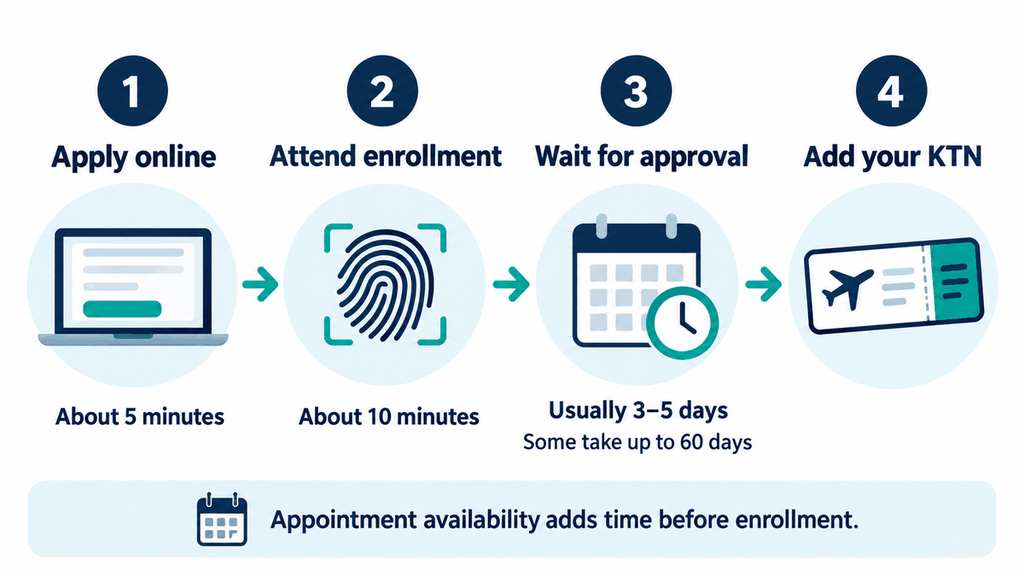
Most people receive a reply within 3 to 5 days after their enrollment visit, though the wait may last as long as 60 days. The online application takes approximately five minutes and the enrollment steps take about 10 minutes as well. The total time includes the time available for appointments, travel, and the time spent waiting at the centre.
Key Takeaways
- If you want to have TSA PreCheck for a certain trip then you should start as early as possible.
- The first stage is the online form.
- Before going to an enrollment centre, look at the document list.
- A walk-in visit might help you sign up sooner, but it does not promise quicker approval.
- When your application has been approved, you should add your Known Traveler Number to your flight reservation.
- Before you enter the TSA PreCheck lane, make sure that your boarding pass is checked.
What the TSA PreCheck Timeline Includes
Think of the process as three separate waits. First, you complete the application. After that you go for enrolment and then you wait for the decision.
It is important to bear that in mind when you are looking at the calendar. The fact that a form takes five minutes doesn’t mean that it will be approved in five minutes. Similarly, the fact that an appointment is available tomorrow doesn’t mean that your membership will be ready tomorrow.
| Part of the process | Usual time | What to keep in mind |
|---|---|---|
| Online application | About five minutes | Allow more time if you need to find information |
| Waiting for enrollment | Varies by location | Compare nearby centers and available hours |
| Enrollment visit | About 10 minutes for the enrollment steps | Travel and queues take extra time |
| Approval notification | Usually 3–5 days | Some applications take up to 60 days |
| Updating your booking | Depends on the airline | Confirm the KTN is saved to the correct reservation |
Suppose you fill out the form today but cannot attend enrollment until next Thursday. You should plan around completing the visit next Thursday, rather than counting the approval wait from today. That gives you a more realistic idea of whether it may be ready for your flight.
Will It Be Ready Before Your Flight?
It might be, but there is no way to promise that before your application is reviewed. If you fly tomorrow or later this week, expect to use standard screening. You have the opportunity to apply at the present moment provided that the membership will be of use to you on future trips.
If you have several weeks, you should complete your enrolment as far as is reasonably possible. Although you might get approval well before you leave, it’s important to keep your airport arrangements flexible. Don’t reduce your arrival time merely because you’ve submitted an application.
I suggest beginning your preparations about two months in advance of an important trip, allowing extra time to secure an enrollment spot. This is just a recommendation and not an official application deadline. It will give you more time if your application takes longer than the typical few days.
Can You Pay for Faster Approval?
There is no officially offered paid rush service for obtaining TSA PreCheck approval, and while you could choose to go for an earlier enrollment appointment, that would only enable you to complete the first stage more quickly. It does not move your background review ahead of other applications.
Be careful about websites that offer instant approval or a guaranteed outcome before you leave. The fact that such promises exist is a reason to stop and check the site you are applying to. Begin by going through the official enrollment procedure and read what the payment includes.
How to Apply Without Making Extra Work for Yourself
The simplest option is generally the one that requires the least effort on your part. Find a convenient location, check what its requirements are, and then select a time that suits you. A cheaper appointment at a distance might turn out to be of little value when you take into account the cost of travel and parking.
Find a Suitable Enrollment Location
Find out the centre’s hours and if it allows appointments, walk-ins, or both. When the centre is at an airport, discover whether the desk is located before or after security; that minor point could prevent you from having to go to a place you can’t access.
It is possible to enroll at some locations without having to book in advance. You can check participating walk-in enrollment locations and confirm the hours before leaving. Walk-in enrollment still requires a personal visit and goes through the usual approval process.
Fill Out the Online Form Carefully
When you’re filling in the form, use the name that appears on your enrolment documents and verify your date of birth before sending it in. Ensure that the email address and phone number you have provided are accurate since you need to be able to receive the updates. Keep the confirmation message in a place where you will be able to locate it later.
It’s worth carrying out when you have some quiet time, since going through the form quickly while looking after other travel arrangements makes it more likely that you’ll overlook a simple mistake. Go through each entry once and then proceed.
Complete Your Enrollment Visit
During the visit, the staff will check your documents and take your fingerprints and photograph as well as ask for payment, though the exact time when you have to pay may depend on the provider. Make sure to bring the documents that your chosen provider has requested and keep your confirmation document with you.
What Documents Do You Need?
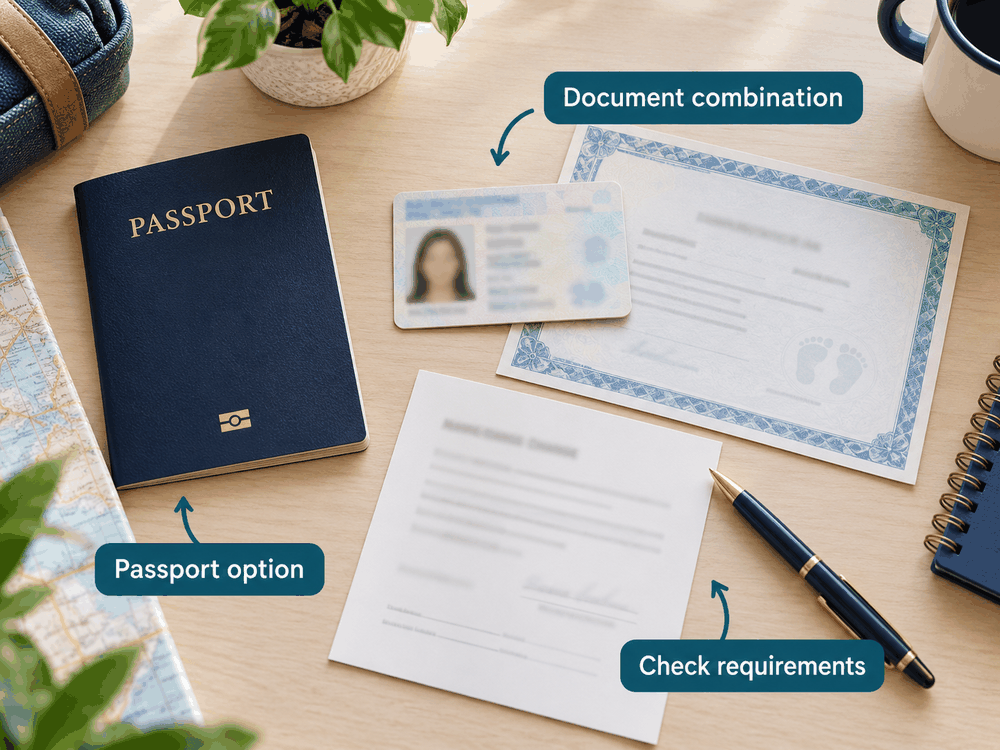
You will need accepted proof of your identity and citizenship or eligible immigration status; one common way of meeting both requirements is by using an unexpired U.S. passport book or passport card. In some cases, a combination of other documents will be necessary.
Check the current enrollment document checklist before your visit. An ordinary photo from a phone, a photocopy, or a document that is used for some other purpose may not be accepted when applying. In the case that your name has changed, you should check if you also need a marriage certificate or another type of officially accepted name-change document.
Here are common document routes:
| Your situation | What to check |
|---|---|
| You have an unexpired U.S. passport book or card | Whether it meets the provider’s single-document requirements |
| You plan to use a driver’s license | Whether it qualifies and what citizenship document must accompany it |
| You are a lawful permanent resident | Which immigration documents the provider accepts |
| Your documents show different names | Which name-change records you must bring |
Do Not Assume Every Valid ID Will Work
A valid ID may still cause an issue when enrolment takes place and providers can also include temporary restrictions relating to certain documents. Read the current checklist for the provider you selected rather than relying on an older article.
For example, CLEAR’s checklist currently includes restrictions affecting some recently issued state IDs. It also makes a distinction between documents which can be accepted individually and those which have to be presented together; it is far easier to find out about this before you go than to find out at the desk.
How to Check Your Application Status
Ask the company that looked after your enrolment. The email confirming your enrolment or the receipt should indicate which company you used. There is no single TSA PreCheck status login that handles every provider’s applications.
For example, people who enrolled through CLEAR can use its application status tool. If you sign up through a different provider, follow the instructions given by that provider. When asking other people for help, make sure to keep your application details private.
If you cannot find the confirmation, search your inbox around the date you enrolled. Check your spam folder too. Finding the original receipt can help you avoid entering your details into the wrong service.
What If Five Days Have Passed?
You can’t tell from the length of the wait whether your application will be approved or rejected, and five days is the typical period for most applicants rather than a strict deadline. Please check your application status and comply with any request for information.
Should your application reach or exceed the 60-day period that has been published without having received a definite outcome, you should get in touch with your enrollment provider. The official guide to enrollment support directs application-status questions to providers. Have your enrollment date and confirmation ready when you get in touch.
What to Do Once You Are Approved
Approval gives you a Known Traveler Number, often called a KTN. Add it to the matching field on your airline reservation and save it in your airline profile. Check bookings you already made separately, because updating your profile may not update those reservations.
Make sure your name, date of birth, and KTN are correct. Then look for the TSA PreCheck indicator when your boarding pass is issued. You do not receive a separate TSA PreCheck membership card, so there is no need to wait for one in the mail.
If the indicator is missing, check the booking details and ask the airline for help. An enrollment receipt or approval message does not replace the boarding-pass indicator. Try to resolve the issue before you reach security.
Is TSA PreCheck Worth Getting?
TSA PreCheck can make airport screening less of a chore if you fly regularly. Eligible laptops and compliant travel-size liquids can generally stay in your bag, subject to screening instructions. You still go through security and may receive additional screening.
Membership lasts five years, and the official program overview lists new enrollment starting at $76.75. Check the current price with your selected provider before paying. If you already have a card that offers an enrollment-fee credit, read its terms first.
I would base the decision on your usual travel, rather than one flight. Consider how often you fly, whether your airport and airline participate, and how much you value a simpler screening routine. If you rarely travel, the benefit may matter less to you.
Frequently Asked Questions
How quickly can you get TSA PreCheck?
Most applicants receive approval notification within 3–5 days after completed enrollment, although some wait up to 60 days. Same-day approval stories do not give you a reliable deadline for your own application. Allow time for enrollment availability as well.
Can you get TSA PreCheck entirely online?
First-time enrollment includes an in-person visit for document checks, fingerprints, and a photograph. The online form starts the application but does not replace that visit. Online renewal may be available for existing members.
Can you add TSA PreCheck after booking a flight?
You can generally add your KTN to an existing reservation through the airline’s booking tools or customer support. Check the reservation itself rather than only updating your frequent-flyer profile. If you have already checked in, ask whether you need an updated boarding pass. tsaenrollmentbyidemia.tsa.dhs.gov
Do you still need REAL ID with TSA PreCheck?
TSA PreCheck does not replace the identification required at the airport checkpoint. You still need a REAL ID-compliant license or another accepted form of identification, such as a passport. Check the current airport identification requirements before departure.
Do Global Entry members need a separate TSA PreCheck application?
Eligible Global Entry members already receive TSA PreCheck benefits. Before paying for another application, check whether your current membership covers what you need. Use your membership number in the KTN field when making a reservation with a participating airline.
Conclusion
Most applicants get their answer within a few days of enrollment, but it is wise to leave room for a longer wait. Check the documents first, choose a convenient location, and complete the form carefully. Those steps help you avoid extra visits without assuming you can control the approval date.
If you have a trip planned, look at enrollment availability now. Once approved, add your KTN to your flight and check your boarding pass. Until then, keep enough time in your airport plans for standard screening.


